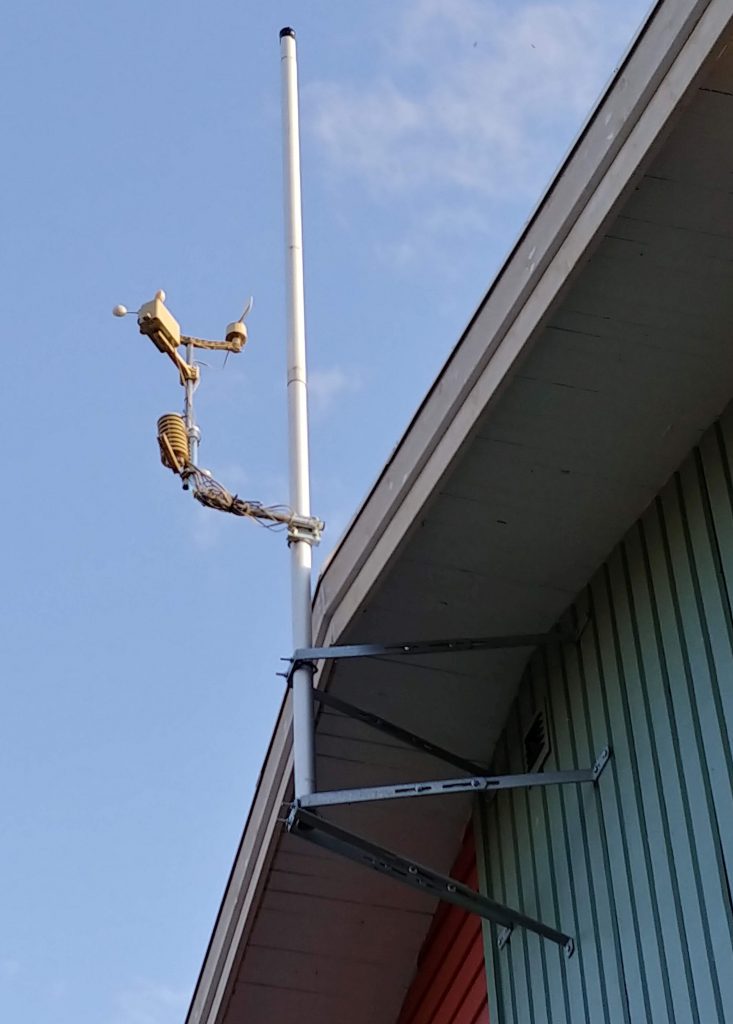
Äntligen dags för ny placering av väderstationen efter tillbyggnad – på maströr närmast vägen. From. 2019-05-10 är därför vindhastighet och riktning korrekta igen.
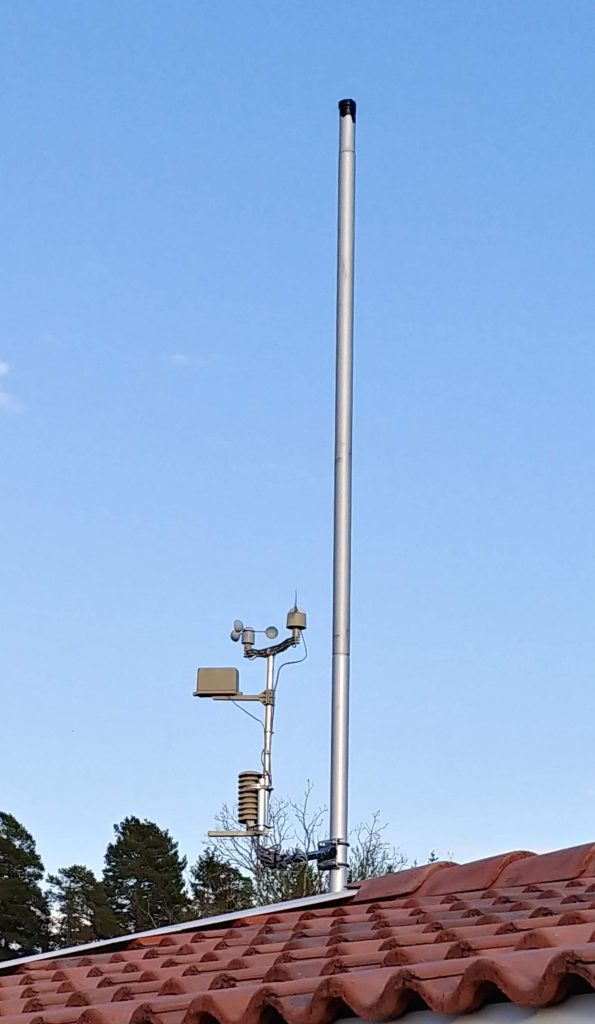
Äntligen dags för ny placering av väderstationen efter tillbyggnad – på maströr närmast vägen. From. 2019-05-10 är därför vindhastighet och riktning korrekta igen.
In Microsoft Team Foundation Server (TFS) bug reporting tool it is not so simple to add recorded videos of bug. To record bug scenarios can be very time effective for a developer when receiving the bug reports.
The best way, as we use in my current project/assignment, is to record the bug with a tool called ScreenToGif. Is is very simple to record your movement on the screen and convert the small video to an animated GIF image.
The animated GIF image can then be imported (added) as a image direct in the TFS bug report and can be viewed without any tools direct in the web TFS web interface.
I can highly recommend this way of working with bugs in TFS!
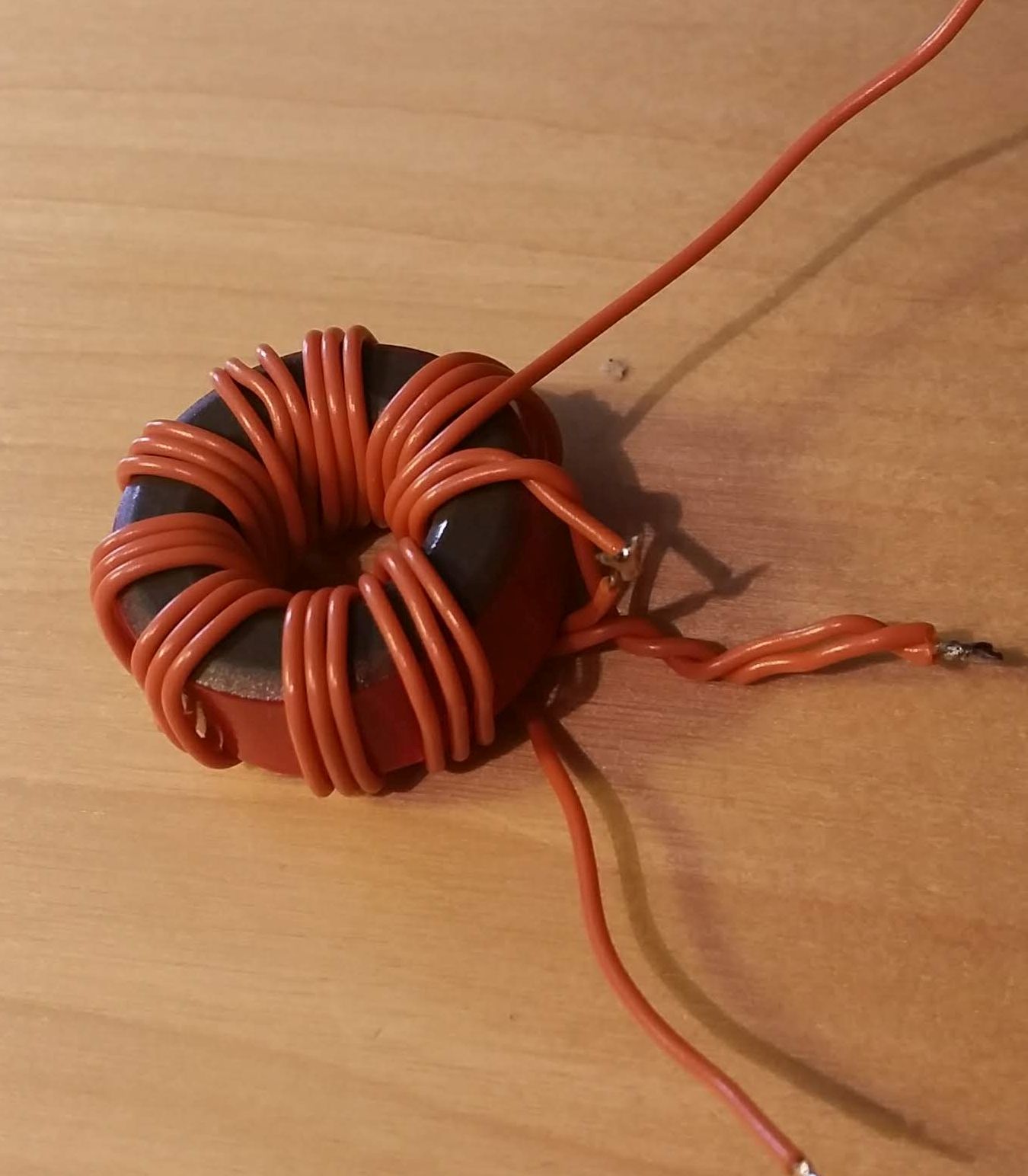
Some time ago I made attempt to make an UNUN / EFHW (End Fed Half Wave) trafo for 14 MHz, it was a complete failure… I do not know if the cheap toroid ordered from eBay was a fake (T106-2) but nothing worked (high SWR).
Then I ordered the Sotabeams Pico Tuner (at a very good price). It took me about 3 hours to solder the tuner and cut, test an antenna for 14 MHz (20 meter band). The SWR was very good with the antenna at almost ground level.
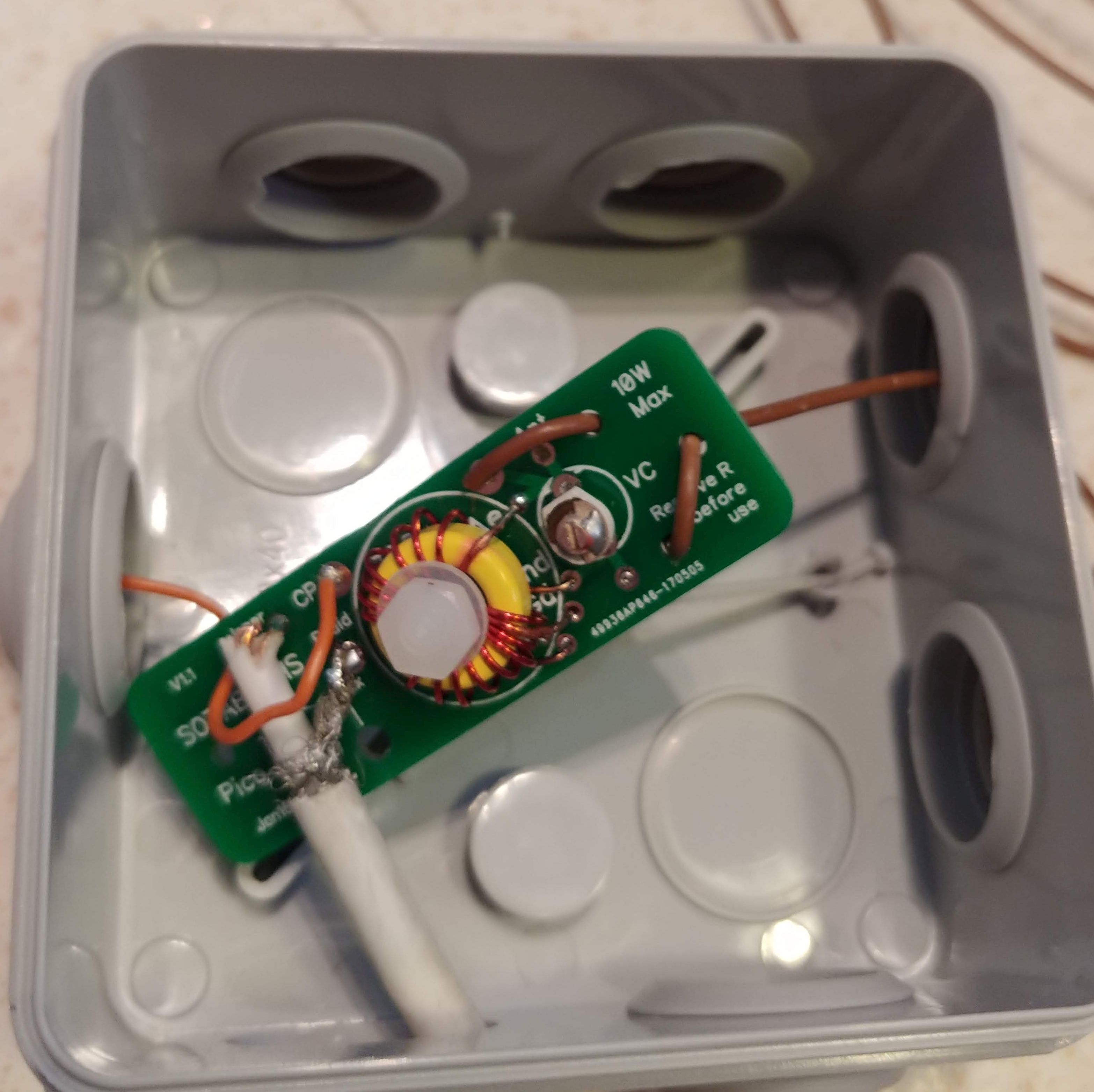
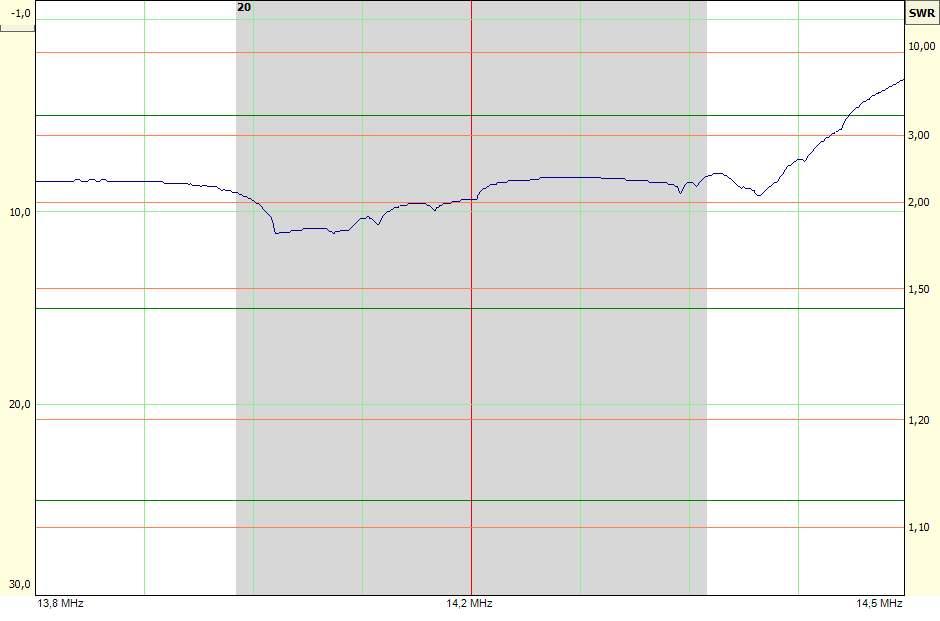
The first test with FT8 digital mode and my FT-817ND was good. The next day I mounted the antenna on the roof with one fixed end of the antenna in one of the few low trees I have at my garden. The SWR was now a little bit different (higher) but bandwidth was larger.
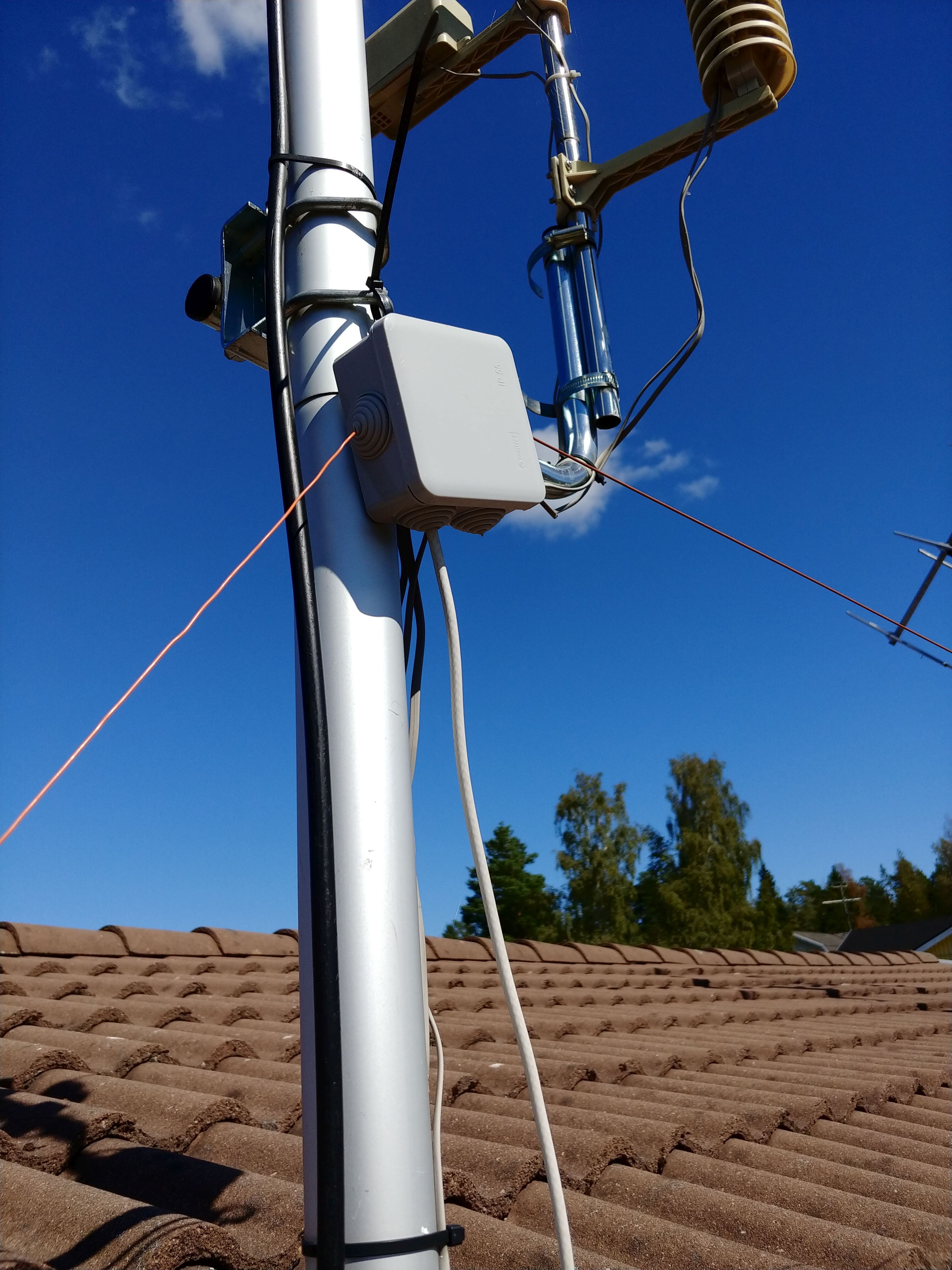
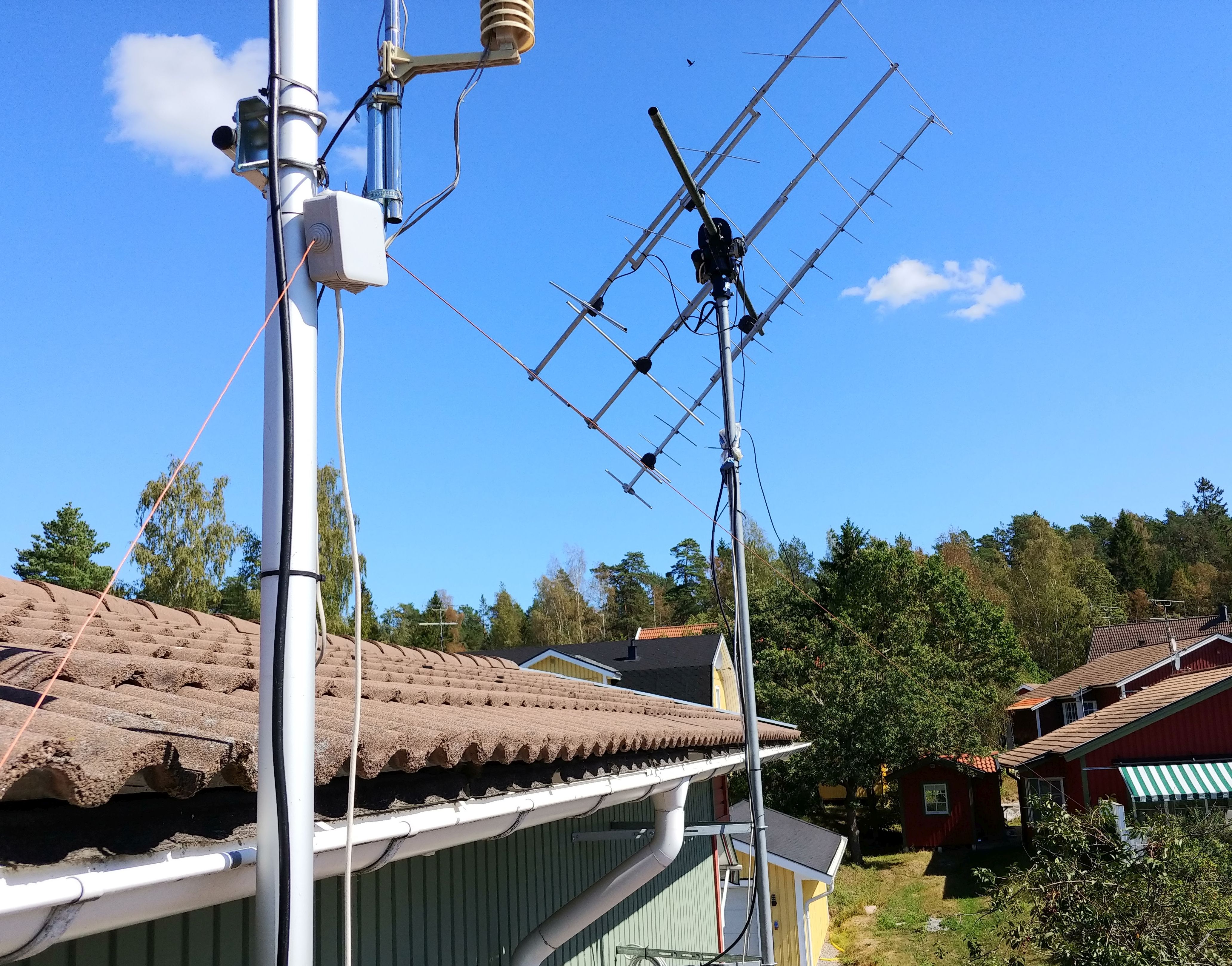
I noticed a large improvement in both RX and TX when putting the antenna higher up. In just one hour my TX was heard by 51 receivers on FT8 with 2.5 watts from my FT-817ND.
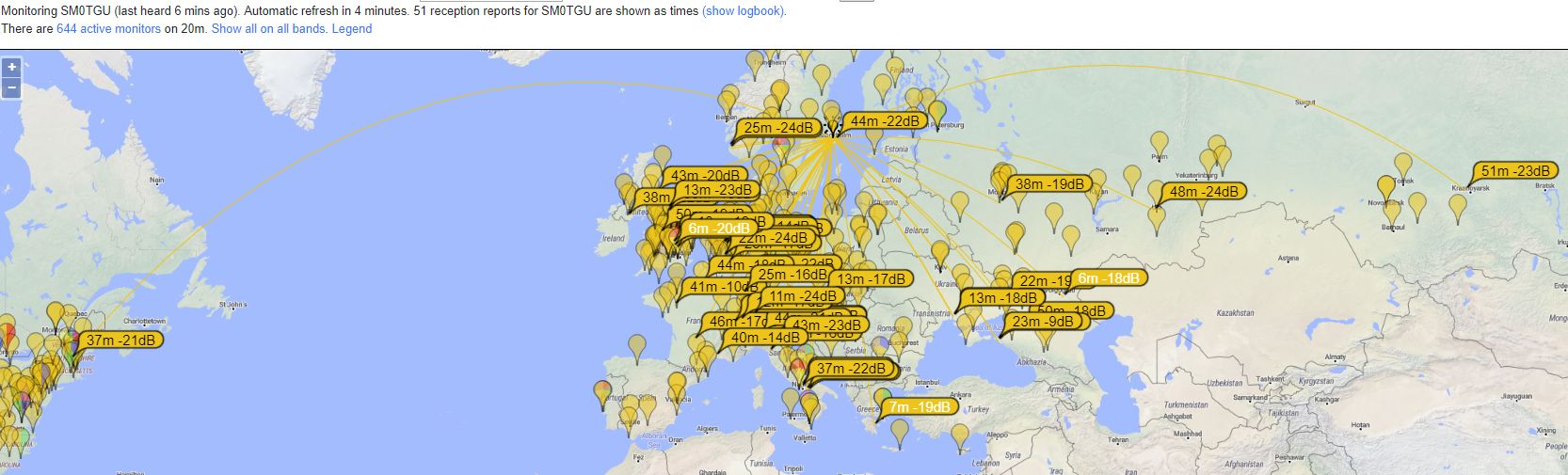
Summary: I can highly recommend the Sotabeams Pico Tuner if you need a simple QRP tuner thats actually works. Also FT8 is a great digital mode for testing antennas and fast QSOs.
So I did try again with a homemade 9:1 UNUN and a 10 m wire to see if I could use it as a simple 14 MHz antenna. But no success… I actually had the best SWR high up on the HF bands.
The toroid is was a T106-2 and what I can see this is not suited for HF UNUNs…
Next I will maybe try one of the SOTA Beam antenna designs (pico-traps, EFHW tuners…).
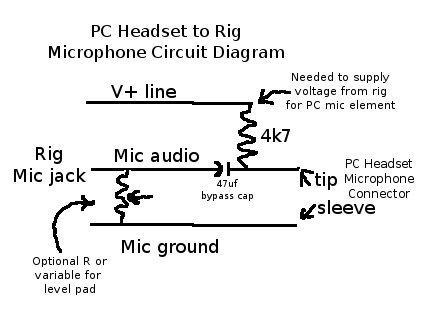
On internet there are many articles about using a PC headset for ham radio transceivers. I have been using this one from KC2RGW, Chris Esser for connecting a simple PC headset to my FT-817ND. The circuit is according to following (picture from Chris):
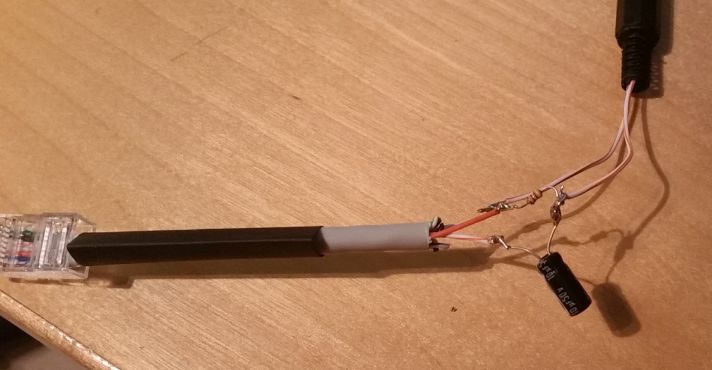
And here it is after some soldering:
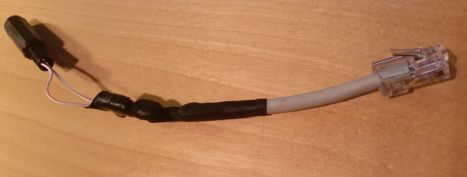
And after some vulcanized tape:
Audio result from FT-817ND:
So I think I’m now a little bit closer to be able to make satellite portable QSO when I can use a headset with VOX.
From eBay I got a very cheap 9:1 UNUN antenna transformer for EF (End Fed) longwire antennas. To read more about the EF antennas, please google and you find a lot of info.
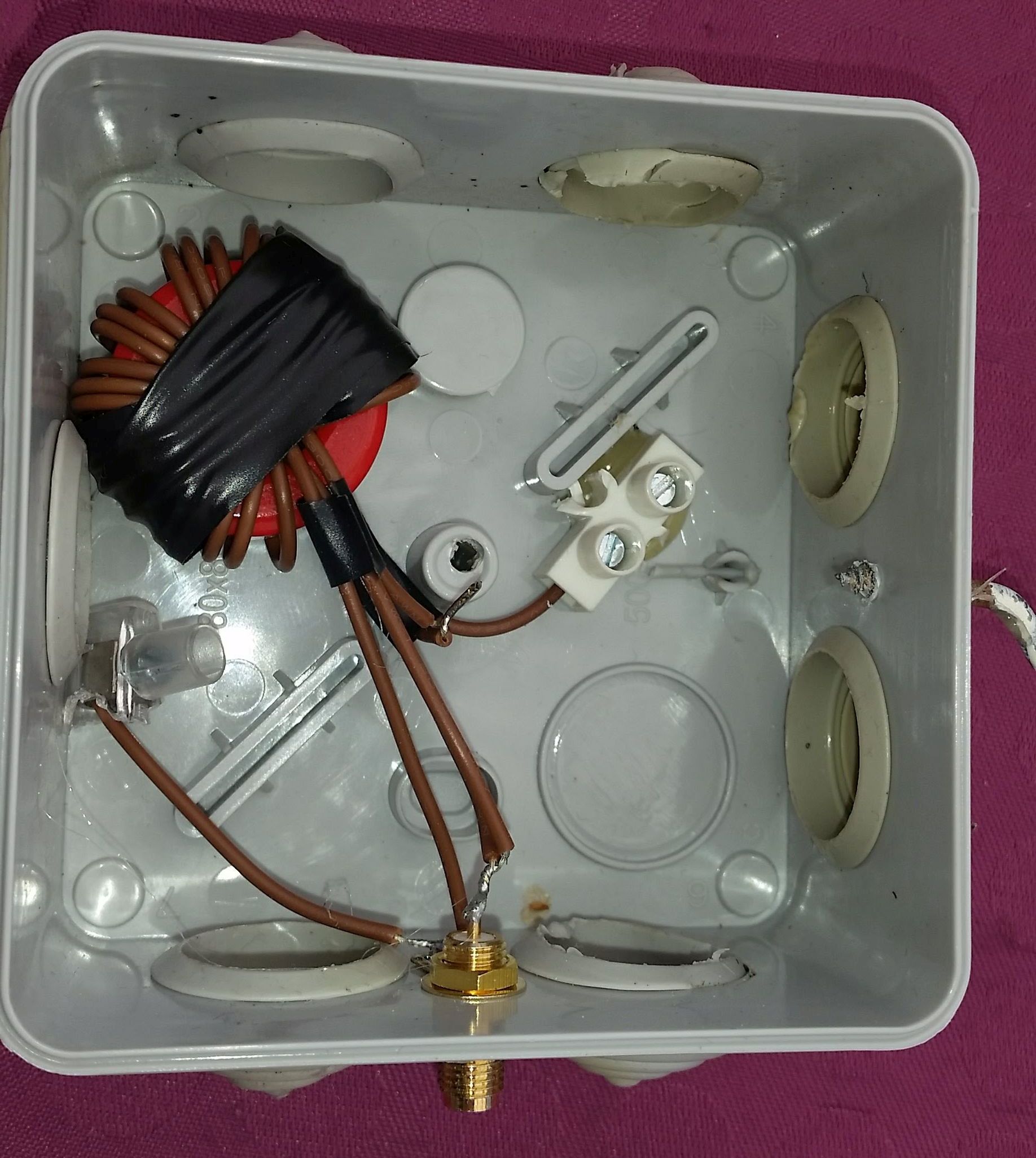
The unit I tested look like this inside in a small plastic box:
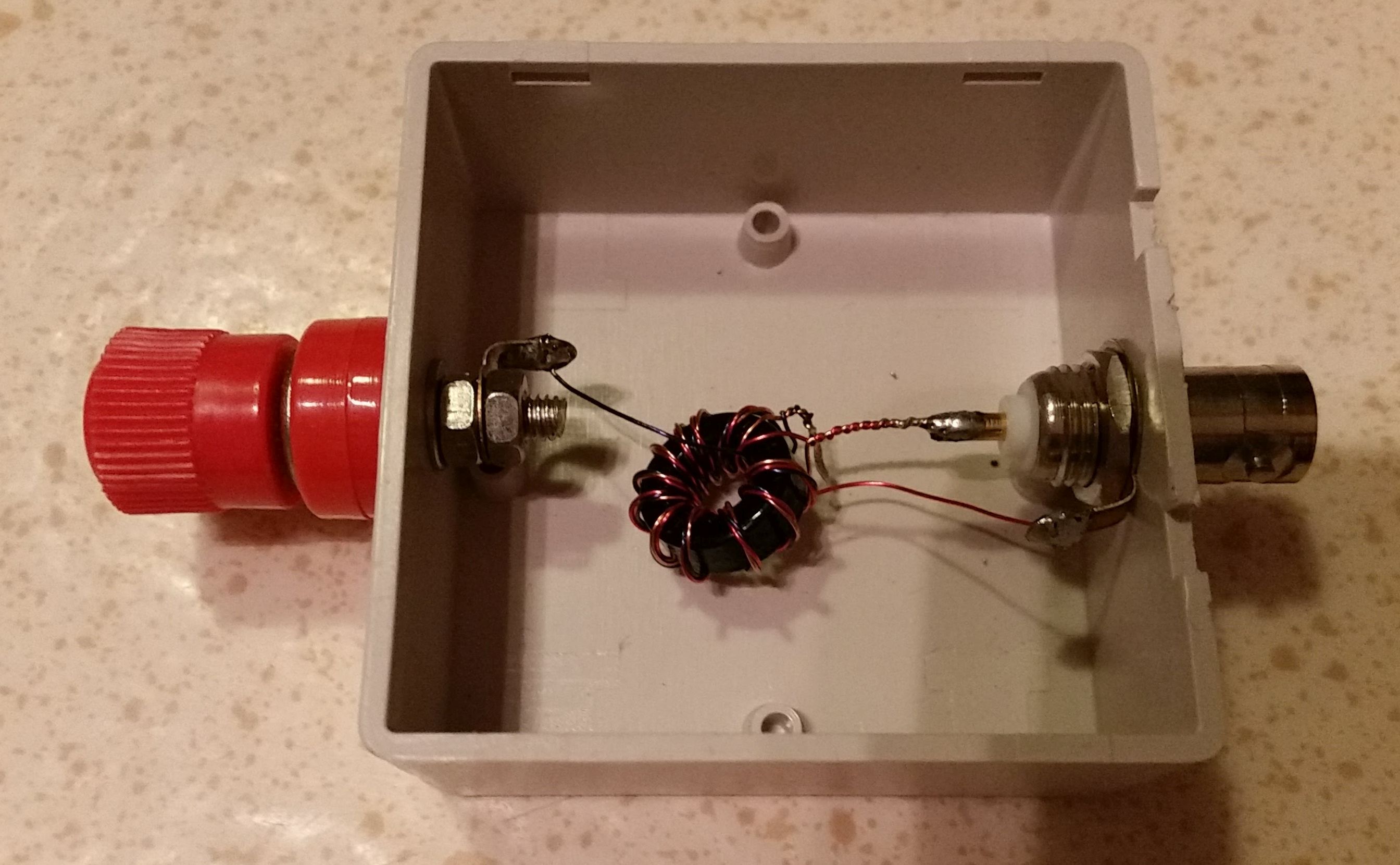
The connector for the coax is BNC. This is, as you can see, a very small toroid and should not be used for other then RX or QRP.
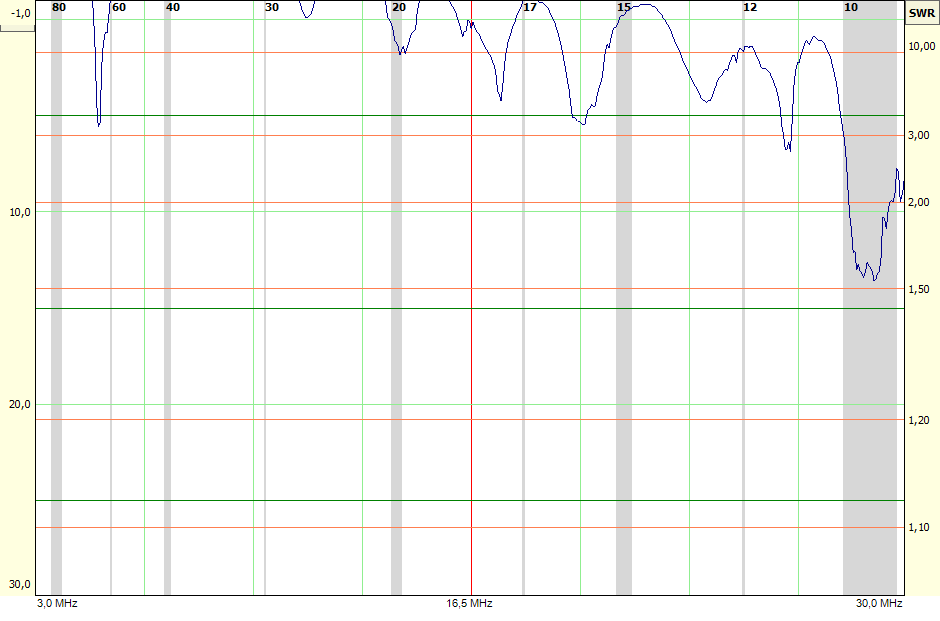
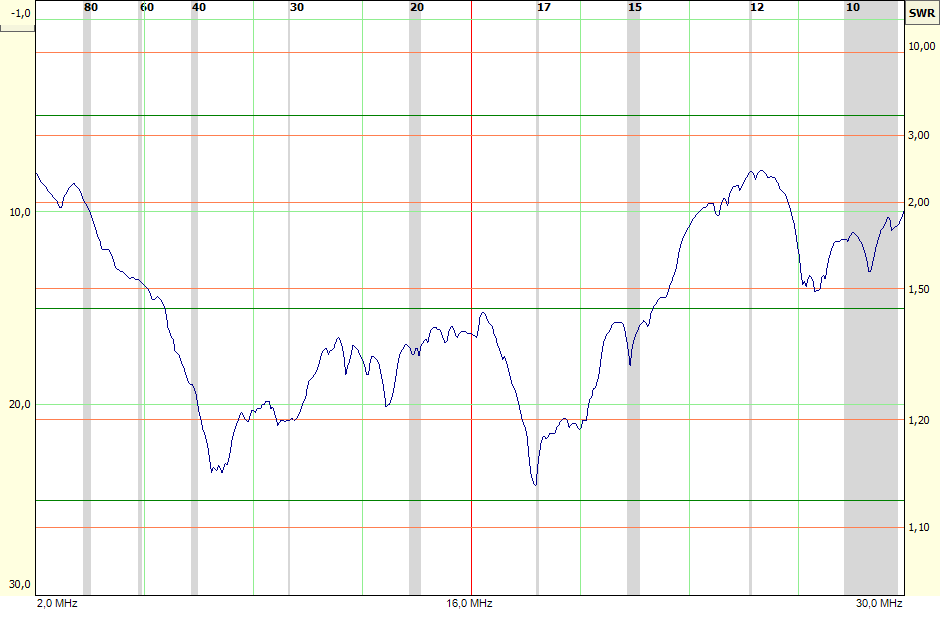
I tested the UNUN with a 450 ohm resistor between input connector and ground. This is the result (with Fox-Delta antenna analyzer):
And connected to a 16,2 meter longwire the result is:
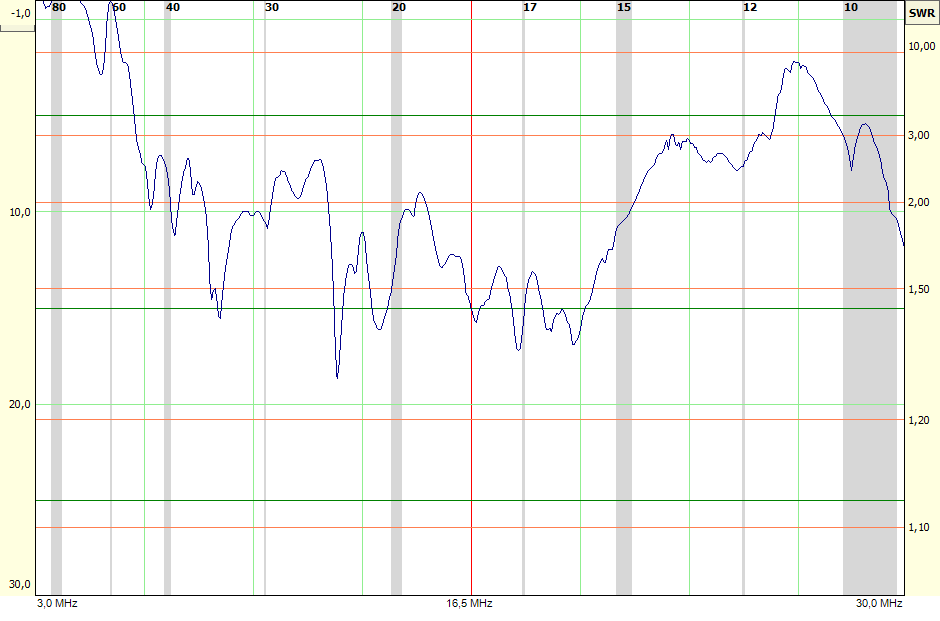
So, with a long wire the SWR is a little bit higher but follows the same pattern as with a 450 ohm resistor. With an antenna tuner it should be possible to tune the antenna from 40 meter band up to 10 meter band.
I senaste numret av Professional Tester magazine beskriver Viv Richards ett ramverk för visuell regressiontestning med Selenium webdriver. Jag kommer inte gå in i detalj hur det fungerar utan jag hänvisar till artikeln i PT eller Viv Richards blog. Jag har testat ramverket (skrivet i C#) dels direkt från det exempel-projekt som finns men även att implementera det i en Selenium Base Page Object-lösning.
I det stora hela fungerar det mycket bra. På bara några timmar var jag igång med en fungerande PoC. Jag ger här några exempel och delar med mig av erfarenheter och problem jag stött på.
Anropet är mycket enkelt:
// Arrange
var baseImage = "TechnicalPage_Base.png";

// Act
var difference = GetDifference(Driver, baseImage);

// Assert
Assert.IsTrue(difference == 0);
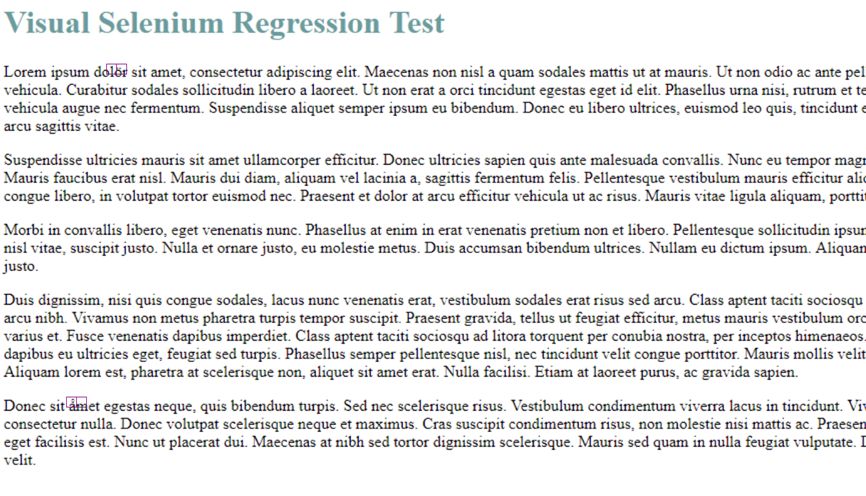
Ramverket ger även en enkel men fullt fungerande testrapport. Nedan ser ni en lyckad testkörning och en misslyckad (failed):

Kollar man vidare på det test som gav failed (i detta fall en enkel testsida jag gjort) ger skillnaden, dvs. det visuella felet, en bild med rosa markeringar på. Det kan vara svårt att se på exemplet nedan (klicka för större bild) men jag har ersatt två a med svenska tecken ö och å som ramverket upptäckte. Kontroll görs ner på pixelnivå:
Det som givetvis inte går att testa med visuell automatisering är dynamiskt innehåll (tex. Twitter-flöden). Det är givetvis inte möjligt ens med manuell testning… Det finns dock en inbyggd funktion för att skugga bort dessa partier:
// Cover specified dynamic element on page with blanket
CoverDynamicElementBySelector(Driver, elementByCssSelector);
Och då blir det visuella resultatet enligt följande:
Det jag inte lyckats med att visuellt testa är inbäddade länkar från YouTube i WordPress. Här verkar det som om färgerna på den stillbild YouTube levererar blir olika ibland och därmed detekterar ramverket detta som förändring på pixelnivå.
Det som också beskrivs av Viv Richards är att det är viktigt att skapa basbilderna med den Selenium webdriver som ska utföra regressionstesterna. Det går inte att manuellt lägga till en bild.
Ramverket finns att testa och ladda ner från GitHub:
https://github.com/vivrichards600/AutomatedVisualTesting